


























Budgets that fit your life
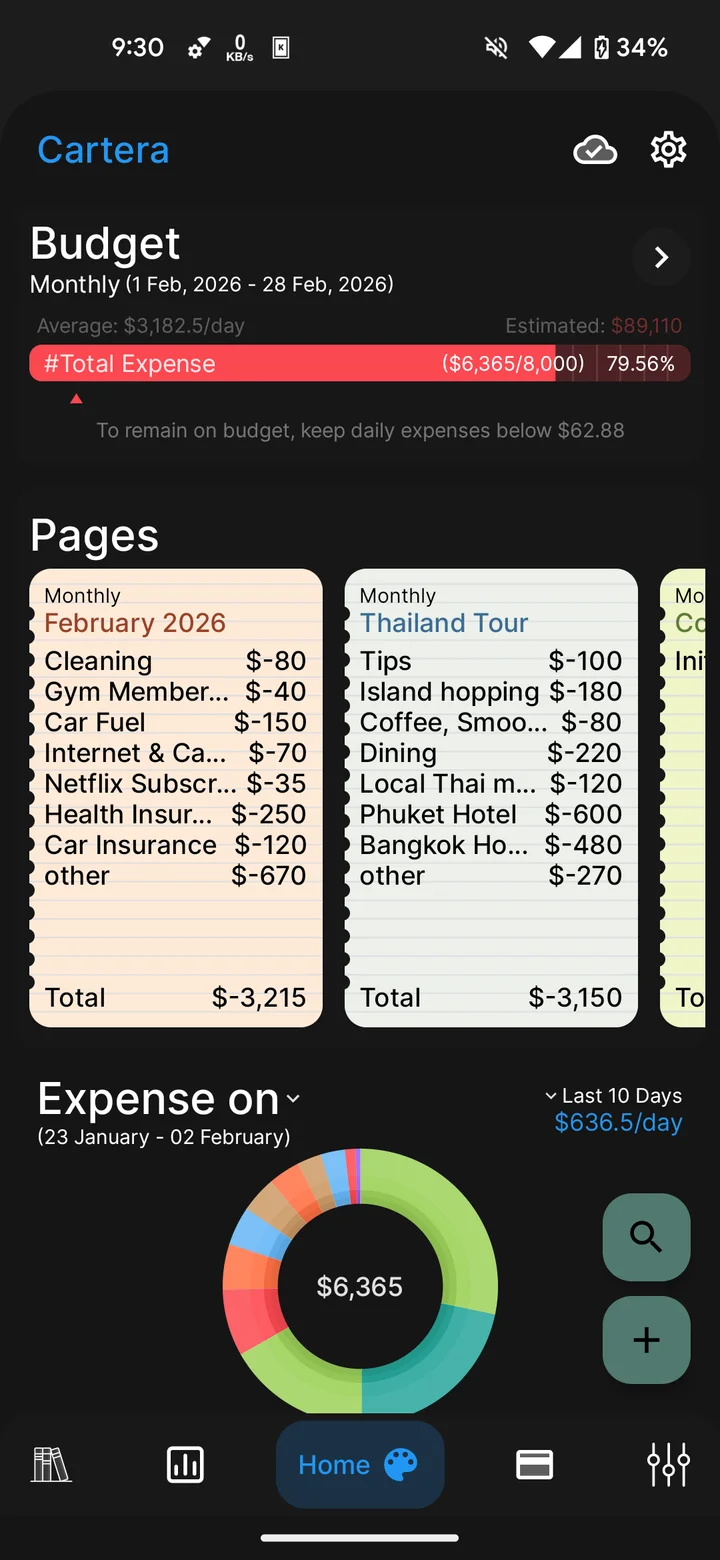
Weekly, monthly, and yearly budgets combine overall or category limits with spending progress and remaining amounts.
Monthly groceries
$120 of $20060%
$80 of room left in the plan
Cartera brings everyday spending, budgets, savings goals, and shared finances into one Android app. Notebook-style pages and connected accounts give every part of life its own place.
Available for Android A place for everyday money
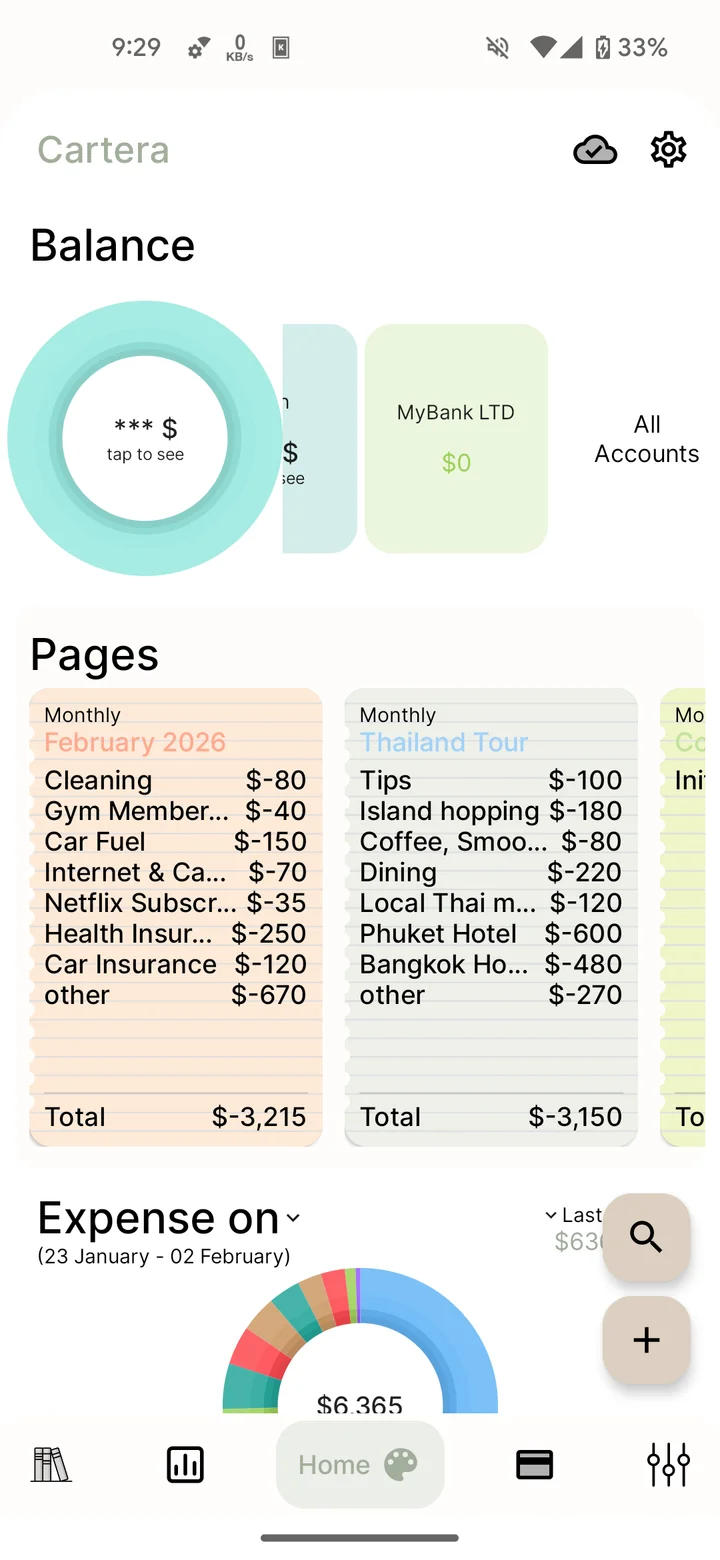
Records, plans, and shared finances, all part of your financial notebook.
Illustrative pages and sample records
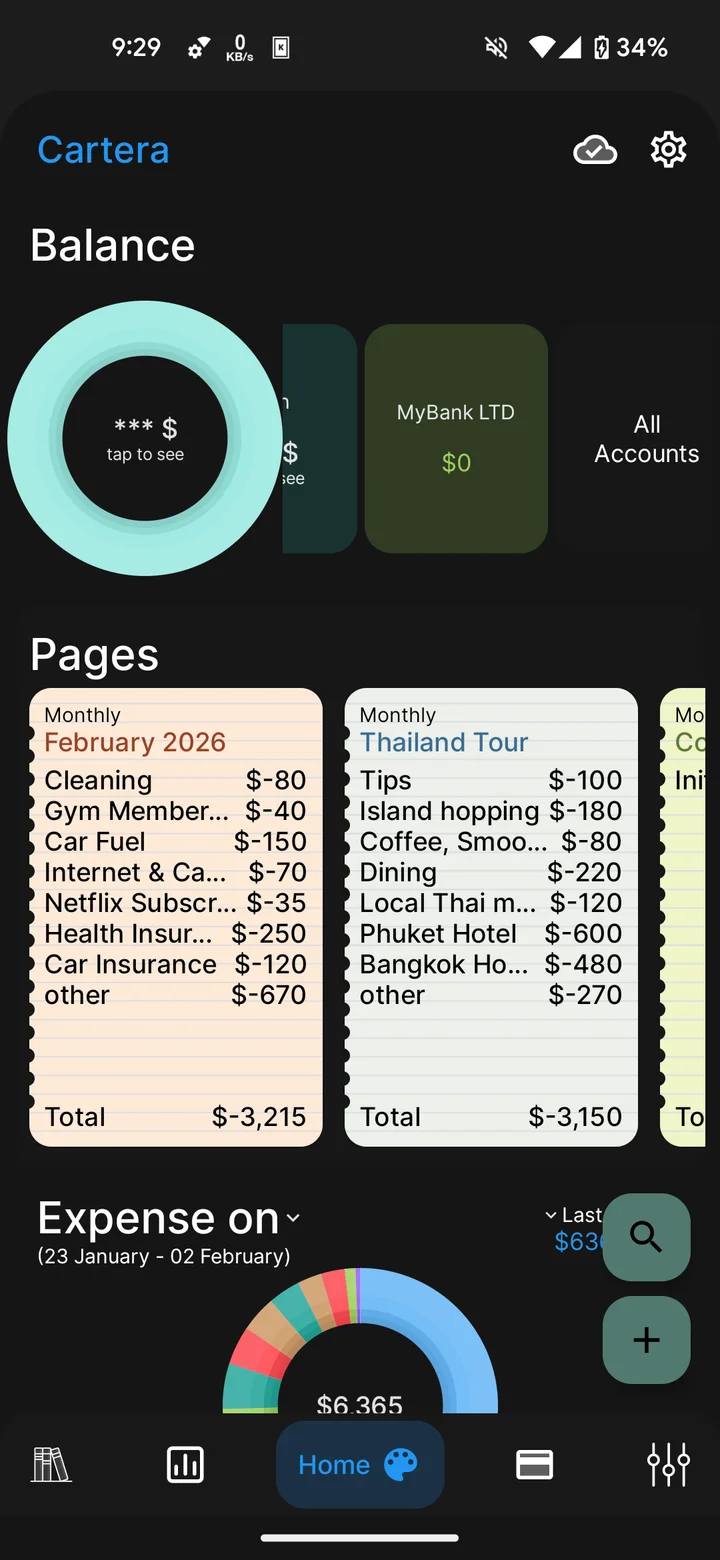
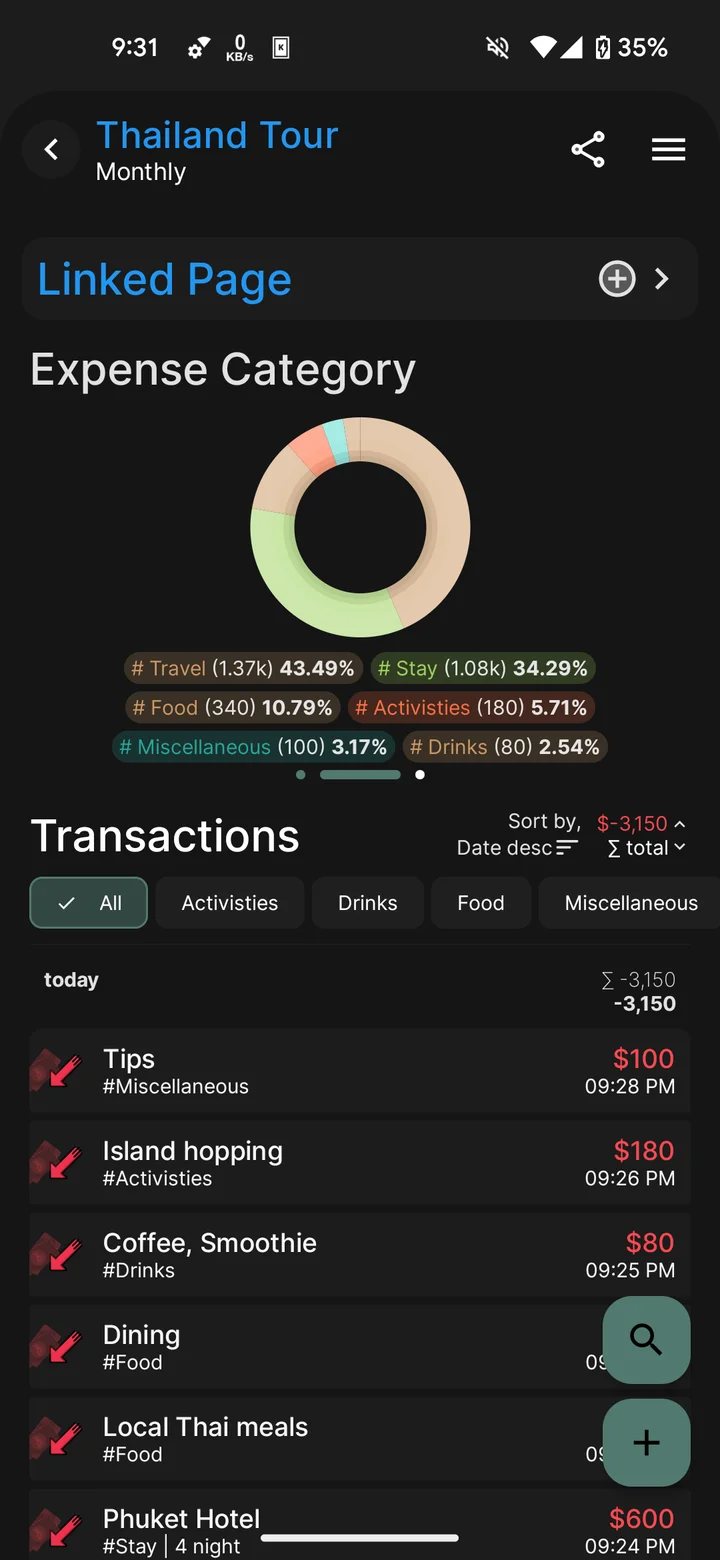
Cartera’s pages give a month, a household, a trip, or a project its own space. Books bring related pages together, while connected accounts retain the financial context behind each record.
Accounts tell you where.
Cash, a bank account, a card.
Pages tell you what for.
Home, travel, work, and everything between.
Notebook simplicity, with connected financial records underneath.
Everyday spending and future goals,
with a clear view of progress.
Weekly, monthly, and yearly budgets combine overall or category limits with spending progress and remaining amounts.
$80 of room left in the plan
Savings goals support targets, deadlines, regular contributions, emergency funds, and recurring future costs.
A little closer with every contribution
Scheduled expenses include due dates, recurring periods, recorded payments, and reminders subject to device permissions.
Illustrative planning examples with sample financial records.
Quick fields and prompt-style entry bring flexibility to everyday recordkeeping. Notes, tags, and analysis connect the details with the bigger picture.
Balances, statements, and history for cash, cards, bank accounts, and mobile banking records. Sub-accounts add finer organization under a parent account.
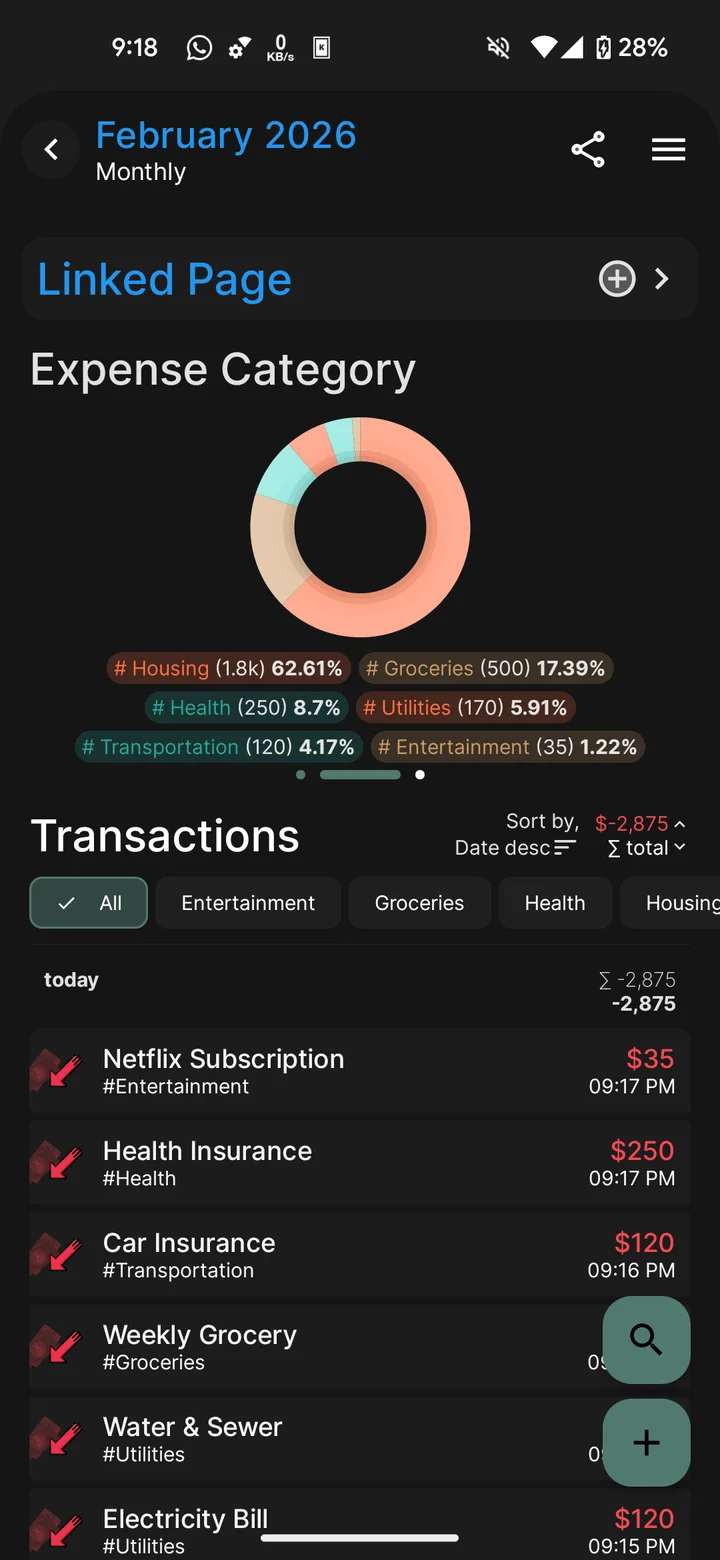
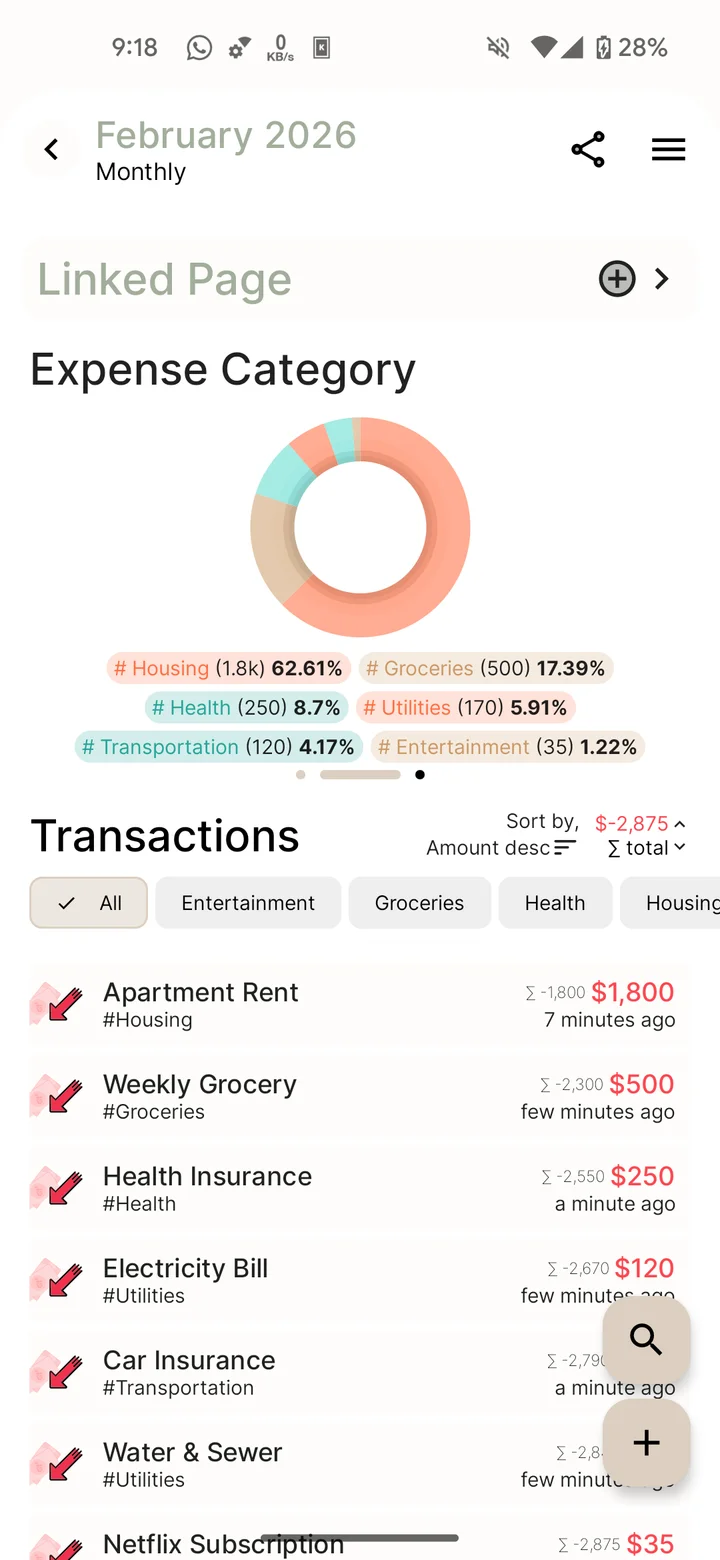
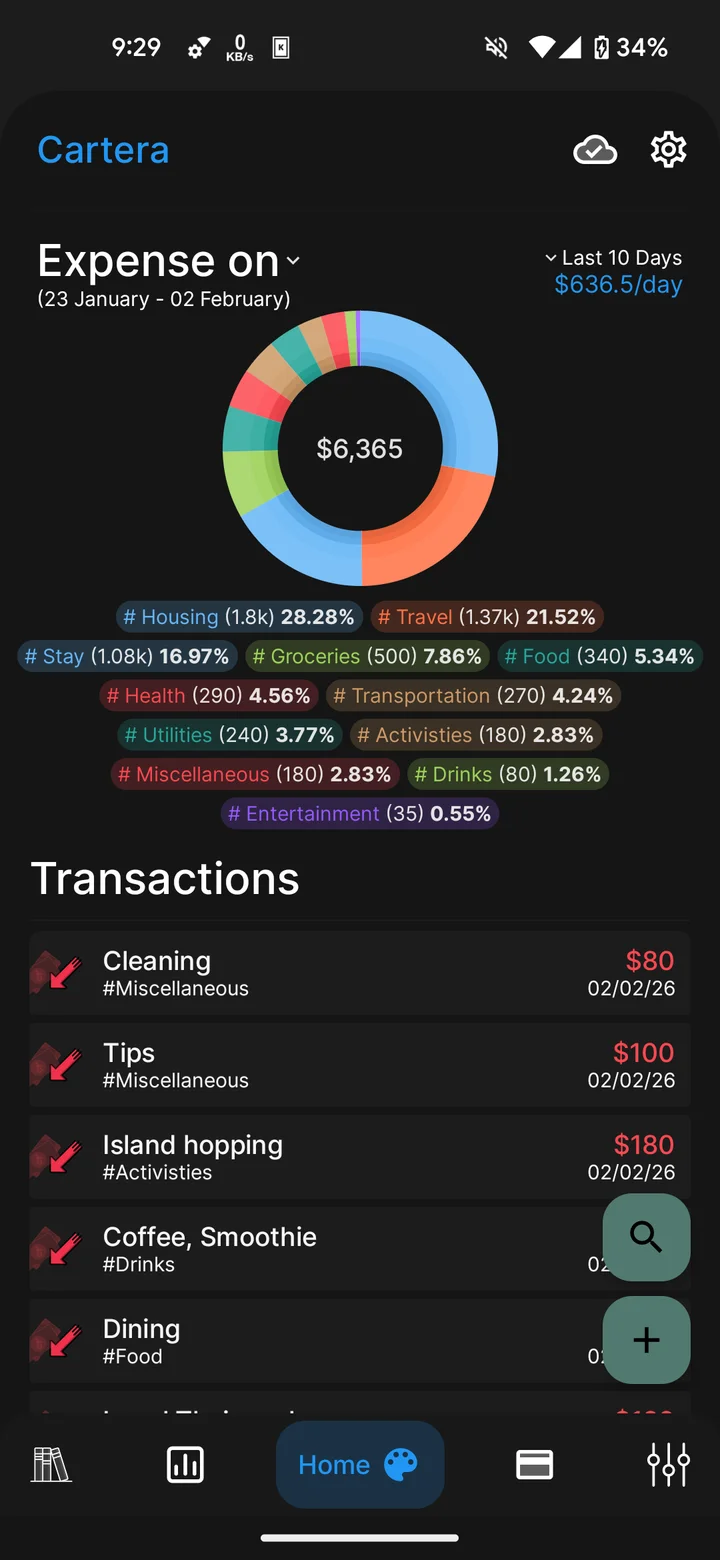
Tags and notes keep context with each record. Search, filters, trends, and breakdowns connect summary figures with the transactions behind them.
Currency-specific records and analysis, with both sides of currency exchanges reflected in balances and statements.
Money lent and borrowed, organized by contact, with loan history and related repayments in Loan Management.
The Cartera assistant provides spending summaries, budget information, and record creation or editing through chat. Voice and image entry return transaction details that remain editable before saving.
AI features require eligible access and connectivity. Messages, attachments, and relevant records are processed by external AI providers.
Chat, voice & images
Availability and usage allowances vary by plan.
Personal records are stored locally, with local backup creation and restore during setup.
An app password and configurable automatic lock add privacy to financial screens on the device.
Cloud synchronization keeps personal records connected across Android devices, with eligible access and connectivity.
Cartera is an Android expense tracker and money manager that brings everyday records, budgets, savings goals, loans, and shared finances together in one financial notebook.
Accounts represent where money is held or moves: cash, a bank account, or a card. Pages organize records by context, such as a month, a trip, or a project. Books bring related pages together. Each transaction retains its account and its context.
Cartera supports currency-specific records, balances, and analysis, with both sides of a currency exchange represented in account statements. Each collaboration group uses one configured currency.
Loan Management brings money lent, money borrowed, contact details, and related repayments into a dedicated overview. Loans can also be recorded before a contact is attached.
Savings goals support amounts, deadlines, regular contributions, history-based emergency funds, and recurring future costs. Progress measures reflect the type of goal and the financial records available.
Transfers, savings contributions, bill payments, and group settlements are records of financial activity. Account balances reflect the amounts entered in Cartera, with related activity available in statements and history.
Personal records use local storage. Cloud sync, AI, and group updates are online features. Collaboration also supports cached reading of previously available records.
Local backup creation and restore during setup are included in the app. Cloud synchronization between Android devices is available according to the current plan and service configuration.
The assistant provides transaction lookups, summaries, and supported record creation or editing through chat. Messages, attachments, and relevant records are processed by external AI providers. Recognized transaction details remain editable before saving.
Cloud sync, collaboration, voice and image recognition, the assistant, and automatic tagging have access conditions determined by the current plan, usage allowances, and service configuration.
A direct point of contact for product questions,
feedback, and feature suggestions.
Cartera for Android brings records, planning, and shared finances together.